
How to clean the clamp pad, anvil, and cleaver blade of CT50
Reason to clean Clamp pad, Anvil, Cleaver blade
In the series of splicing process, cleaving fibers are one of most important process to get low splicing loss.
In the case, improperly cleaving may cause not only bad cleaving but also cause high splicing loss.
The principle of cleaving a optical fiber by cleaver shows as below.
1. Clamp a optical fiber with upper and lower clamp pad
2. Score the fiber by a cleaver blade
3. An anvil pushes and bends the fiber from upper side,
finally the fiber is cleaved.
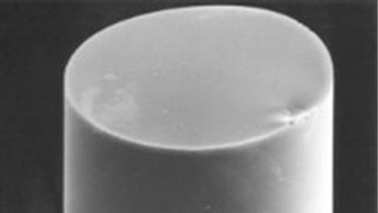

Dust may make not only improperly clamp the fiber but also cause bad cleaving.

It is important to keep clean the Clamp pad, Anvil and Cleaver blade of Cleaver by cleaning to get Good cleaving.
How often clean Clamp pad, Anvil and Cleaver blade is necessary?
Recommendation: Every before use
Clean when the following errors or symptoms occur.
1. When the “Large cleave angle” errors occurs
2. When the “Bad cleave angle” errors occurs
3. When can not cleave a fiber
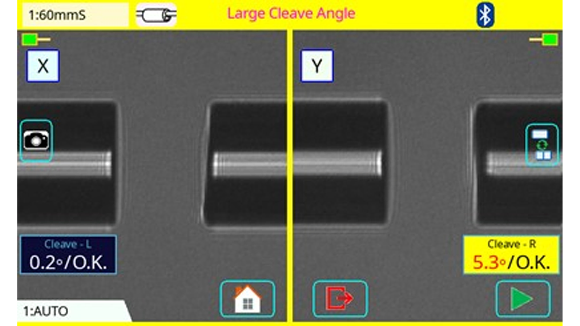
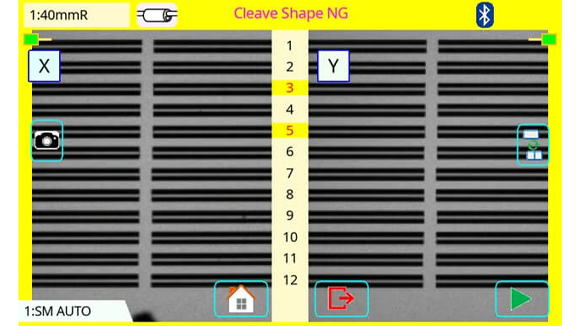
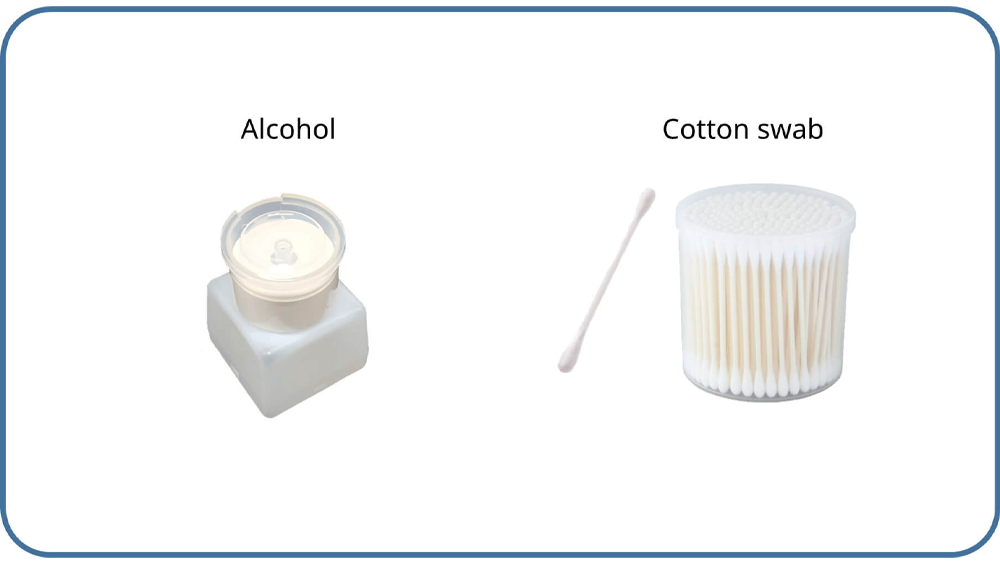
Necessary Item
How to clean
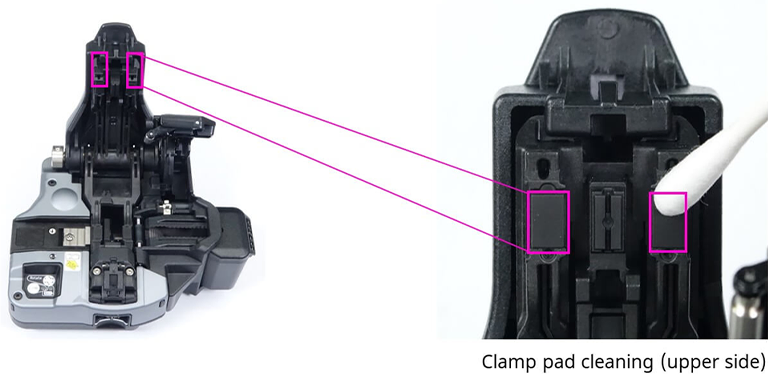
Clean upper side the Clamp pad
1. Lift the lever until it stops.
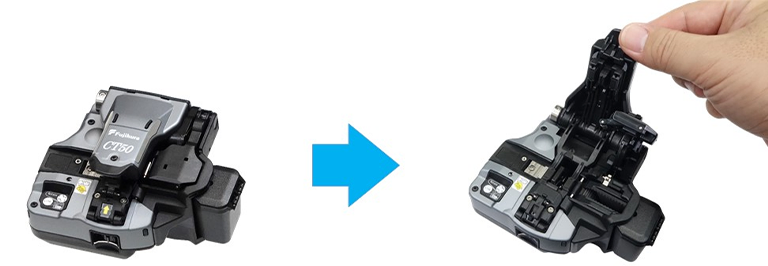
2. Clean the Clamp pad by alcohol moistened cotton swab.
Clean the bottom side Clamp pad
Clean bottom side the Clamp pad by an alcohol moistened cotton swab.
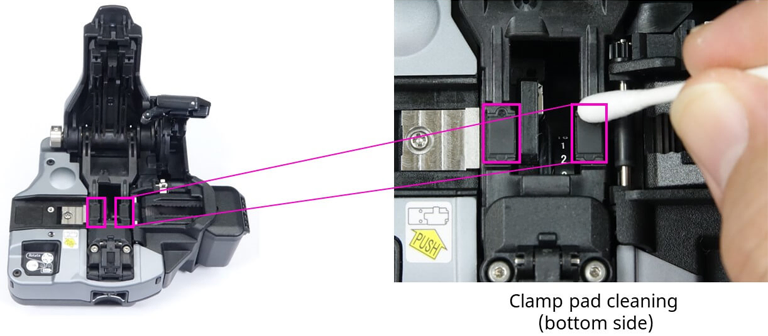
* Please do not touch the blade edge
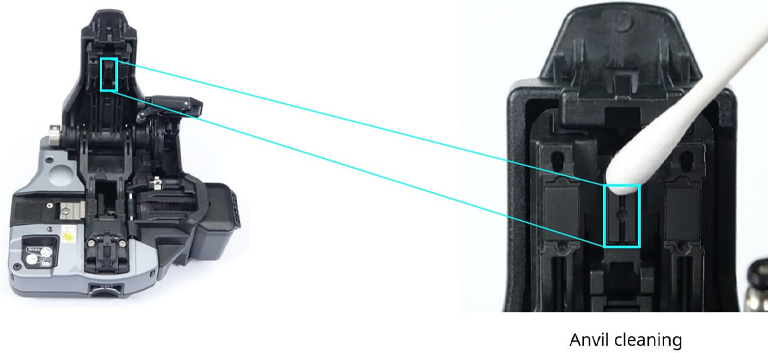
Clean the Anvil
Clean the Anvil by alcohol moistened cotton swab.
Clean the cleaver blade
Close the lever and clean the blade surface by an alcohol moistened cotton swab.
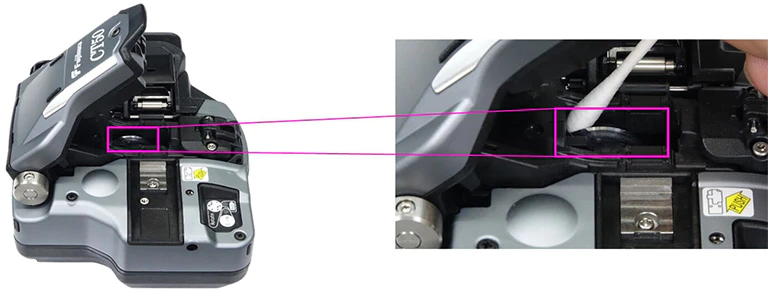
* Please Clean the cutting blade from the side.
* Please do not touch the blade edge.
After finished cleaning
After finished cleaning, please check some cleaving result by using a splicer.
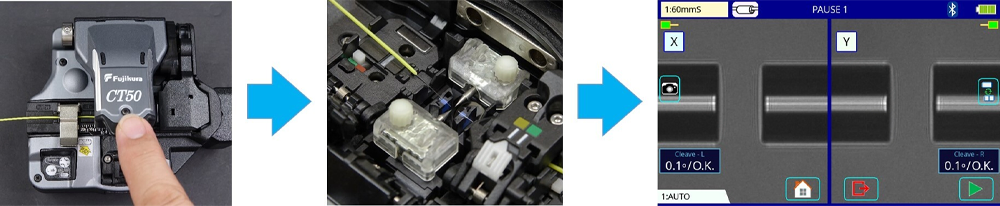
* Please make sure, there are no large cleave angle, chip fiber edge or lip fiber edge.
* In case of bad cleaving result, rotate the blade position or change the blade height.