
How to replace cleaver blade of CT50
When Cleaver Blade needs to be replaced
When : After using all position of the cleaver blade
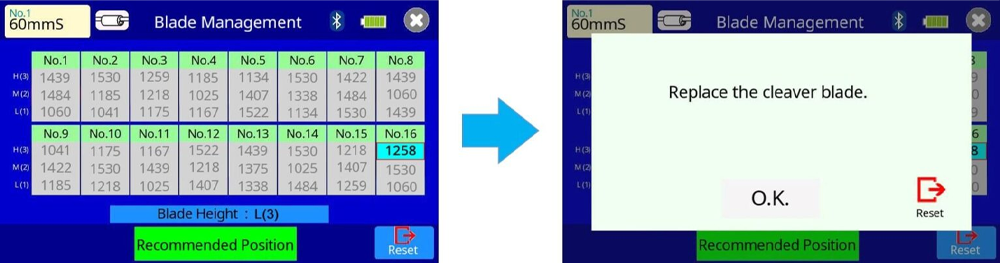
If it have a wireless communication with a fusion splicer, the message appears on the screen.
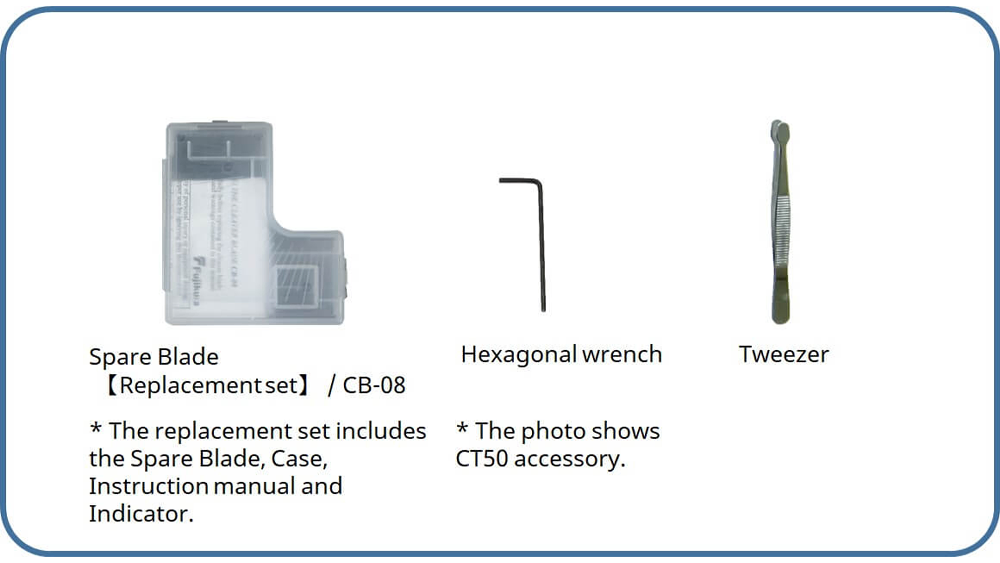
Necessary items to replace the Cleaver Blade for CT50
How to replace Cleaver Blade
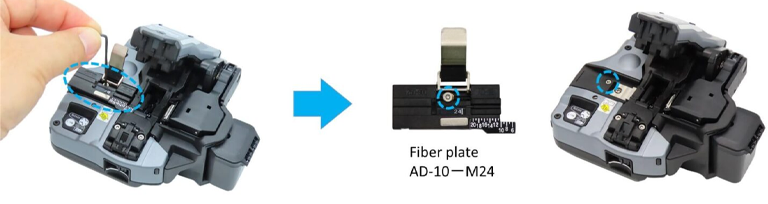
1. If the fiber plate (AD-10-M24, etc) is attached, detach it.
*When changing the cutting blade, the lower clamp arm gets stuck when raising it.
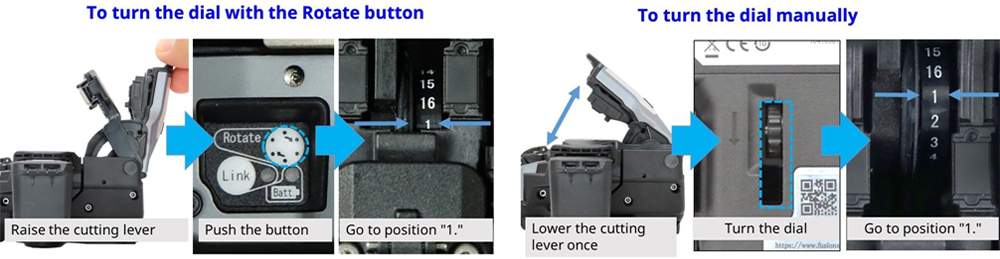
2. Set the Blade Height Dial to the initial position “L” or “1”.
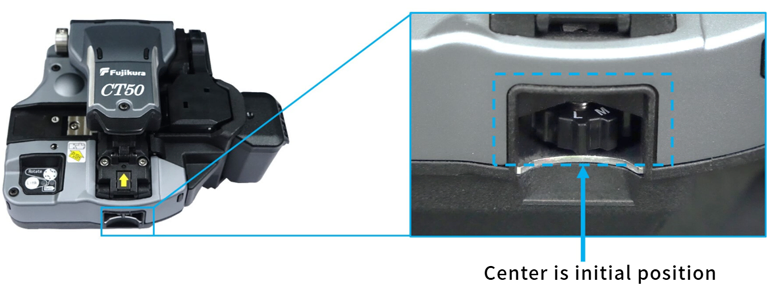
3. Make sure that the initial position of the blade position (the number directly above) is “1”.
- When the blade position is other than “1
Use the Rotate button or the blade rotation dial on the back of the main unit to set the blade position to “1”.
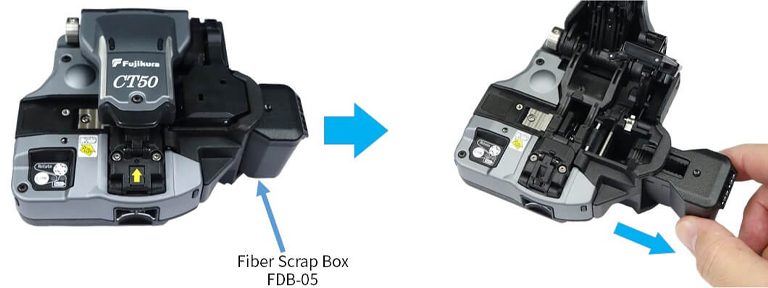
4. Remove the Fiber Scrap Box (FDB-05)
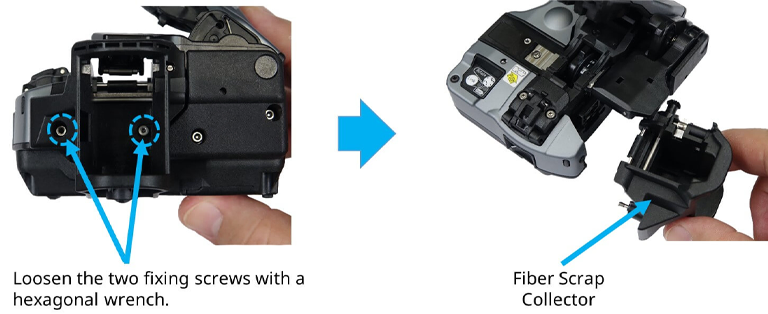
5. Loosen the two screws and remove the Fiber Scrap Collector.
6. Lift the lower clamp arm.
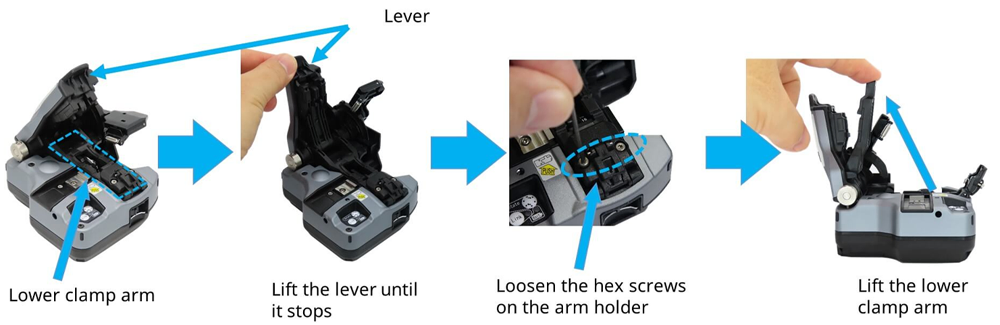
*Be careful not to touch the cutting blade with your hand.
7. Remove the blade rotation wheel located next to the cutting blade.
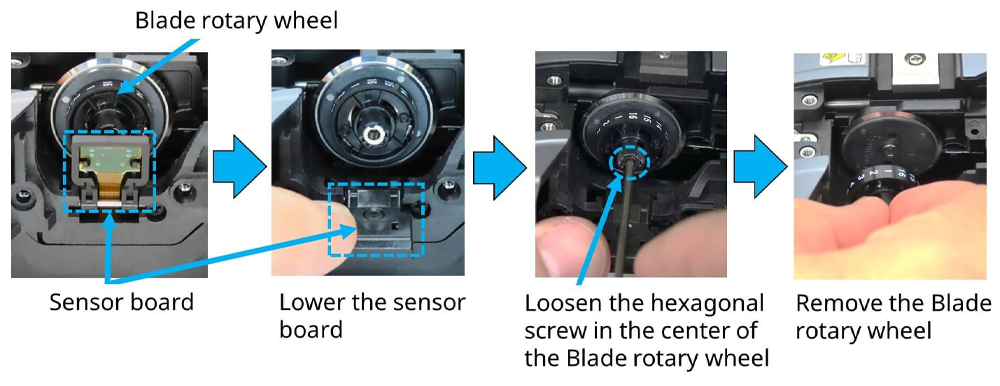
*Do not press down hard on the sensor board.
*Be careful not to touch the cutting blade with your hand.
8. Use tweezers to remove the used cutting blade.
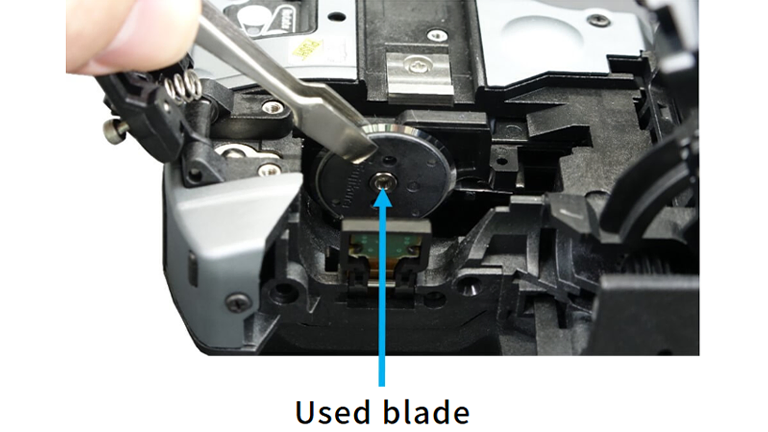
*Be careful not to touch the cutting blade with your hand.
9. Set the new blade on the position pin of the blade holder.
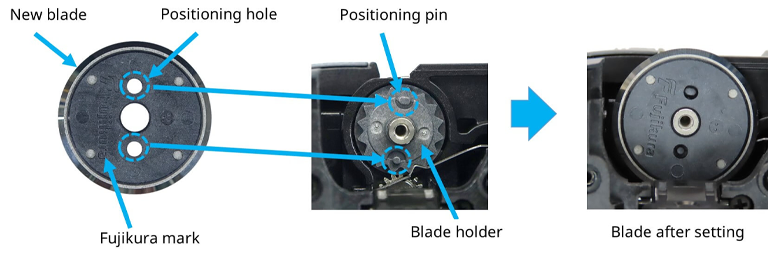
*Be careful not to touch the cutting blade with your hand.
10. After setting the cleave blade, make sure that the cleave blade hits the blade holder and there is no gap.
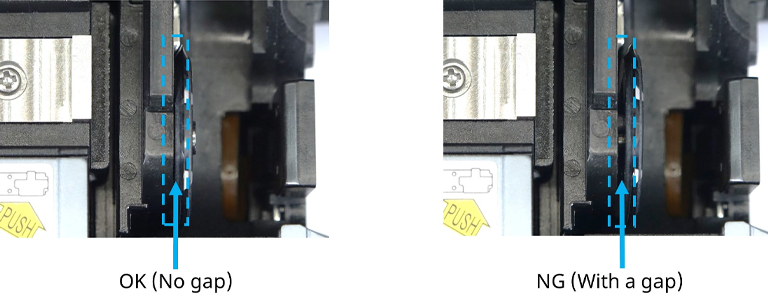
11. Attach the Blade rotary wheel to the blade.
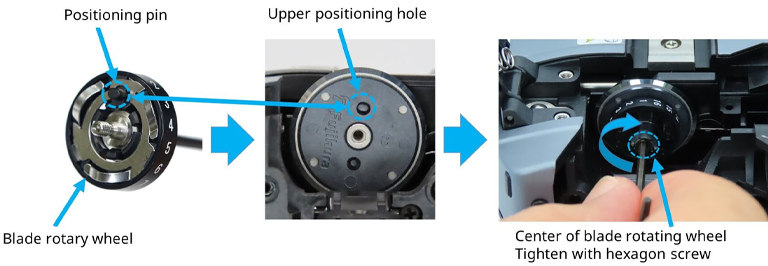
*Be careful not to touch the cutting blade with your hand.
12. Lower the lower clamp arm down to fix it.
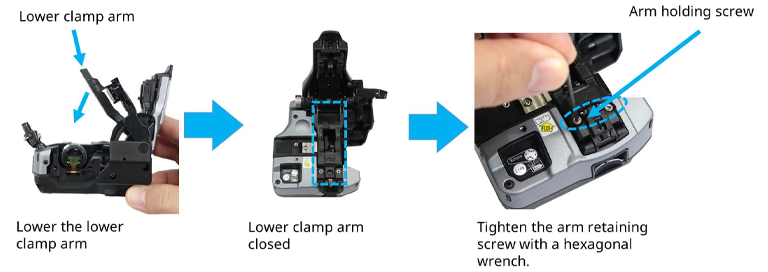
*Be careful not to touch the cutting blade with your hand.
13. Attach the Fiber Scrap Collector. Then attach Dust box.
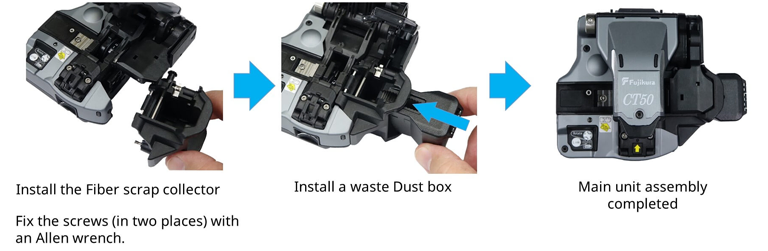
14. Execute the cutter counter initialization in the maintenance menu of the fusion splicer to finish the cutting blade replacement.
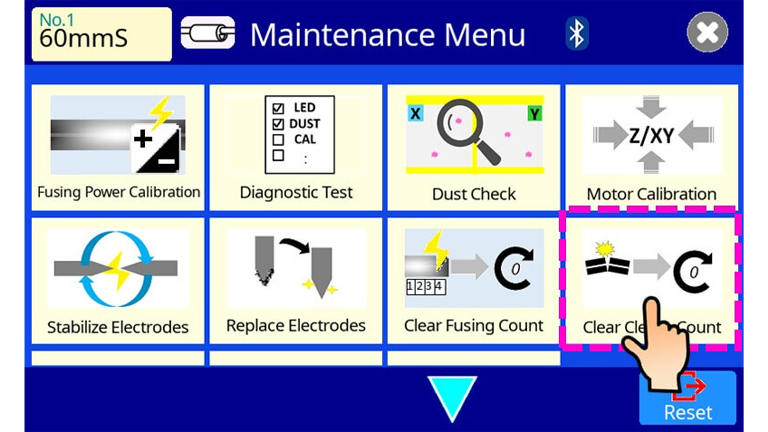
* It need to adjust the cleaver blade height.
Refer to another video for the adjustment method.