How to wireless communication setting for RS03
How wireless communication works ?
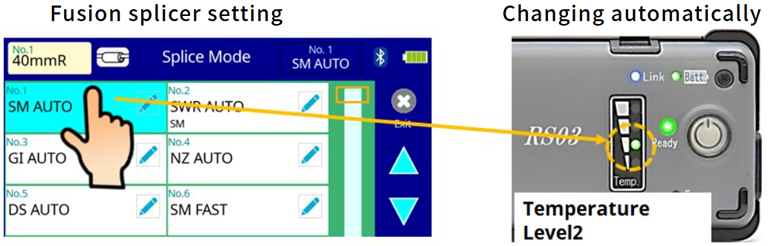
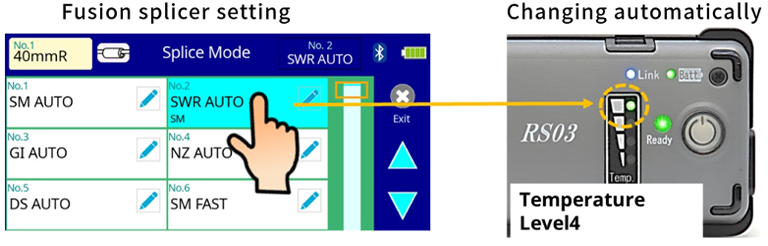
Necessity of the wireless communication
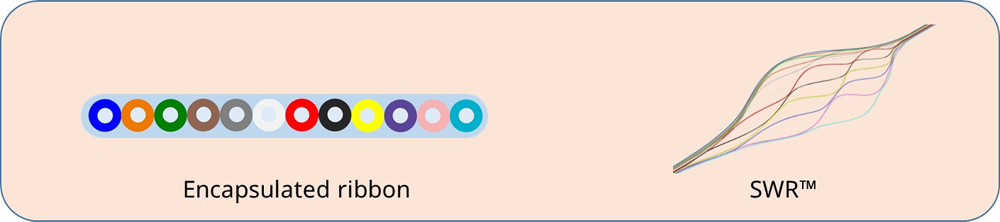
The proper heating temperature depends on the fiber ribbon structure.
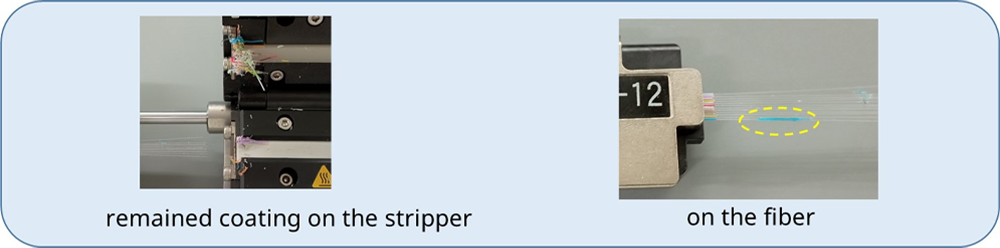
Improper heating temperature may make the coating remaining on the surface of stripper or fiber.
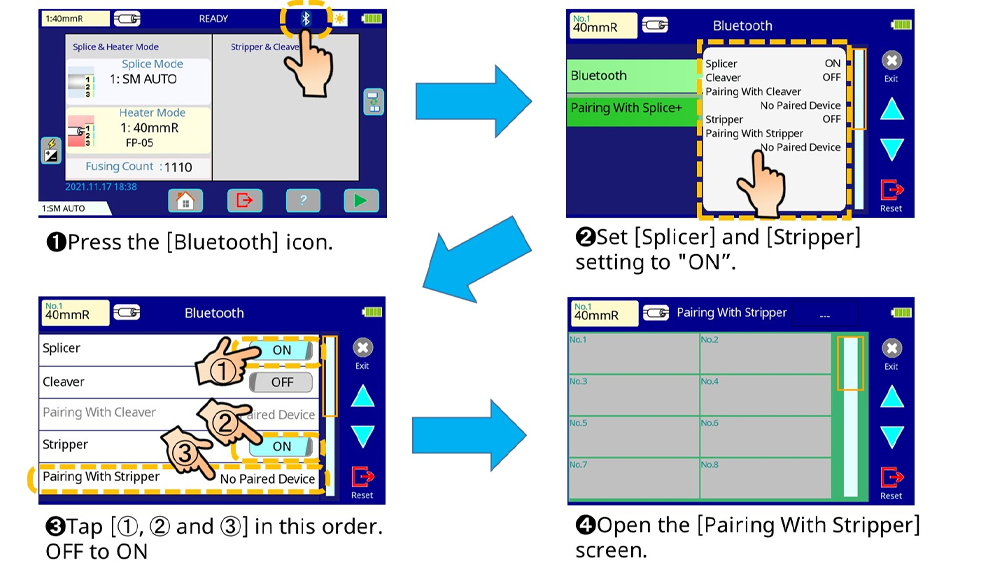
How to “paring” between splicer and stripper
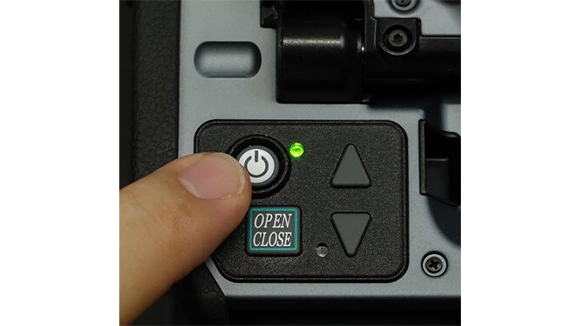
1. Press the Power button and turn the splicer ON.
Splicer settings
2. Press the Power button and turn the stripper ON.
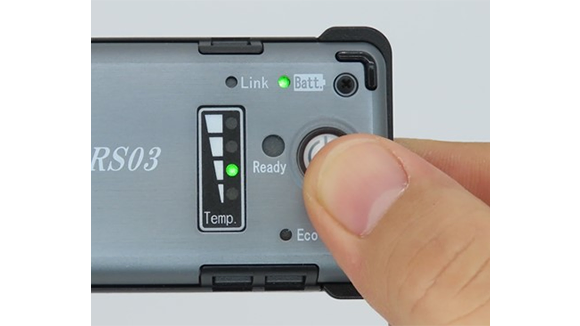
Press and hold the “LINK” button of the stripper for 6 seconds.
The Link LED will begin blinking.
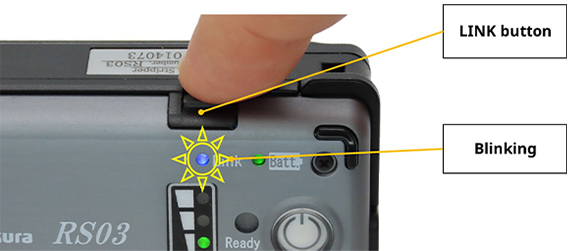
*LED blinks during paring process
Splicer Settings
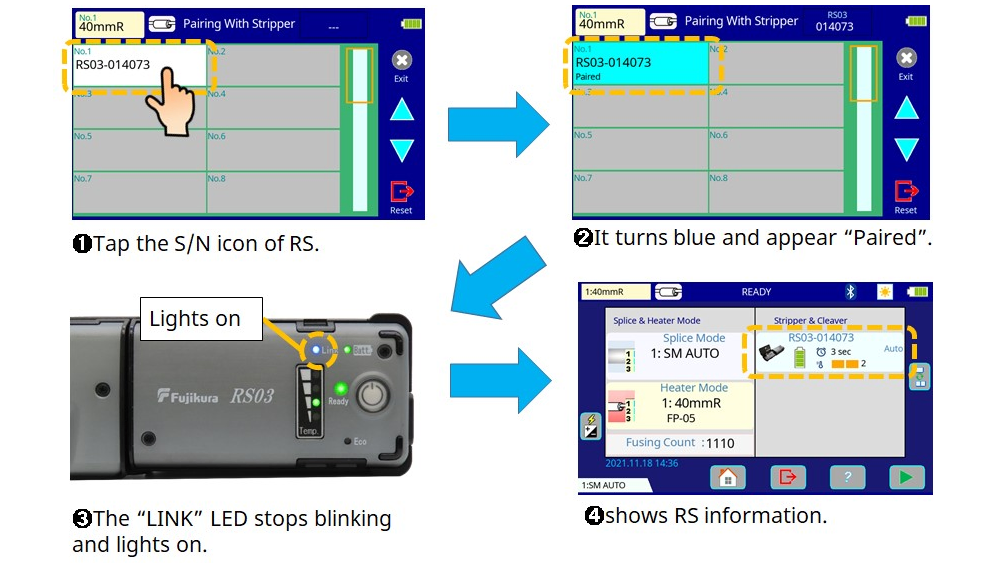
How to turn the wireless communication OFF
- Step 1 Press and Hold the Link button for 6 seconds.
- Step2 Remove the battery.
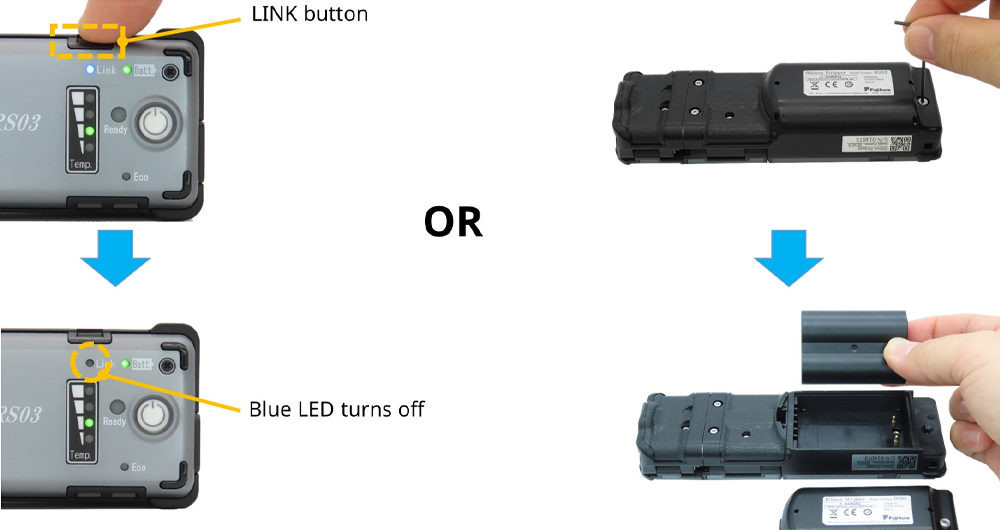
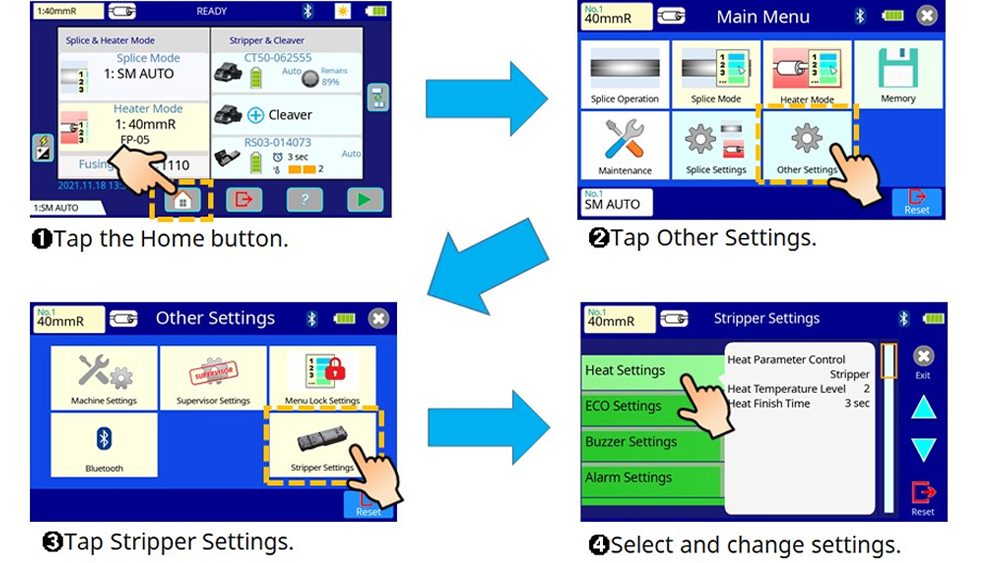
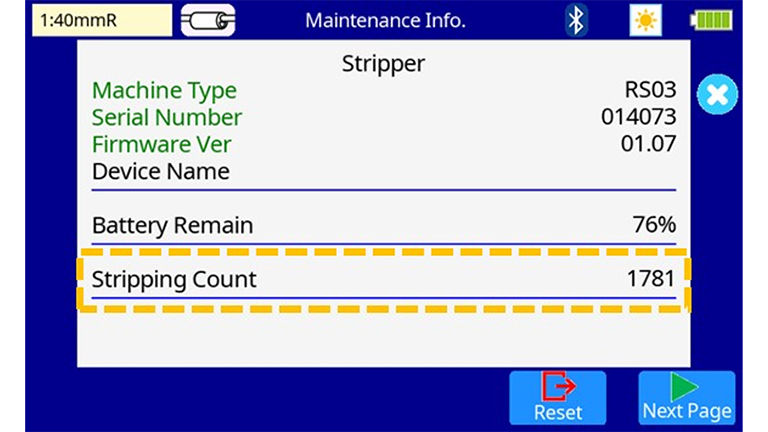
How to change other settings
- Setting of heating conditions
- Buzzer setting
- Eco mode setting
- Alarm setting
- Power off time setting
Splicer Settings